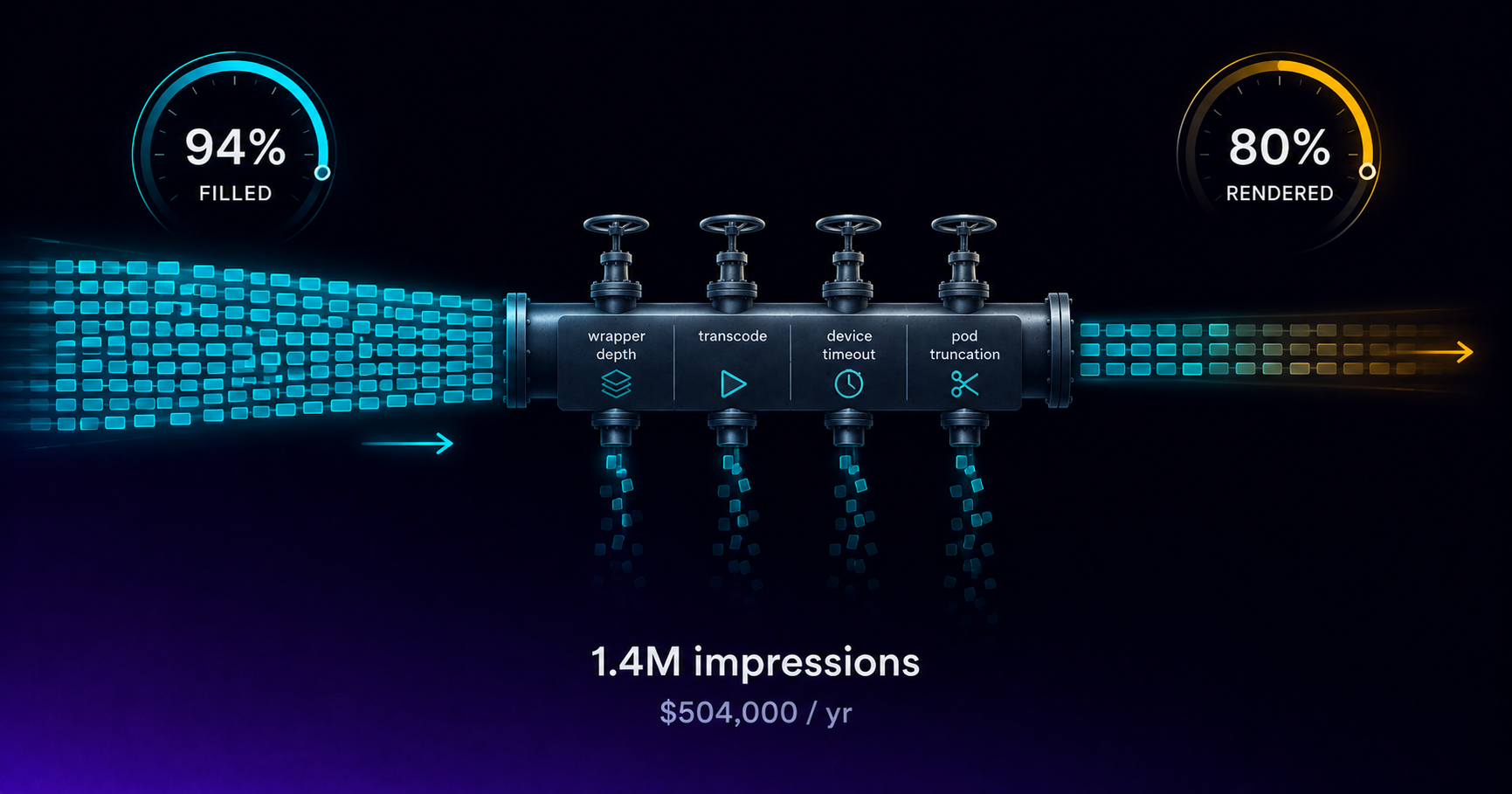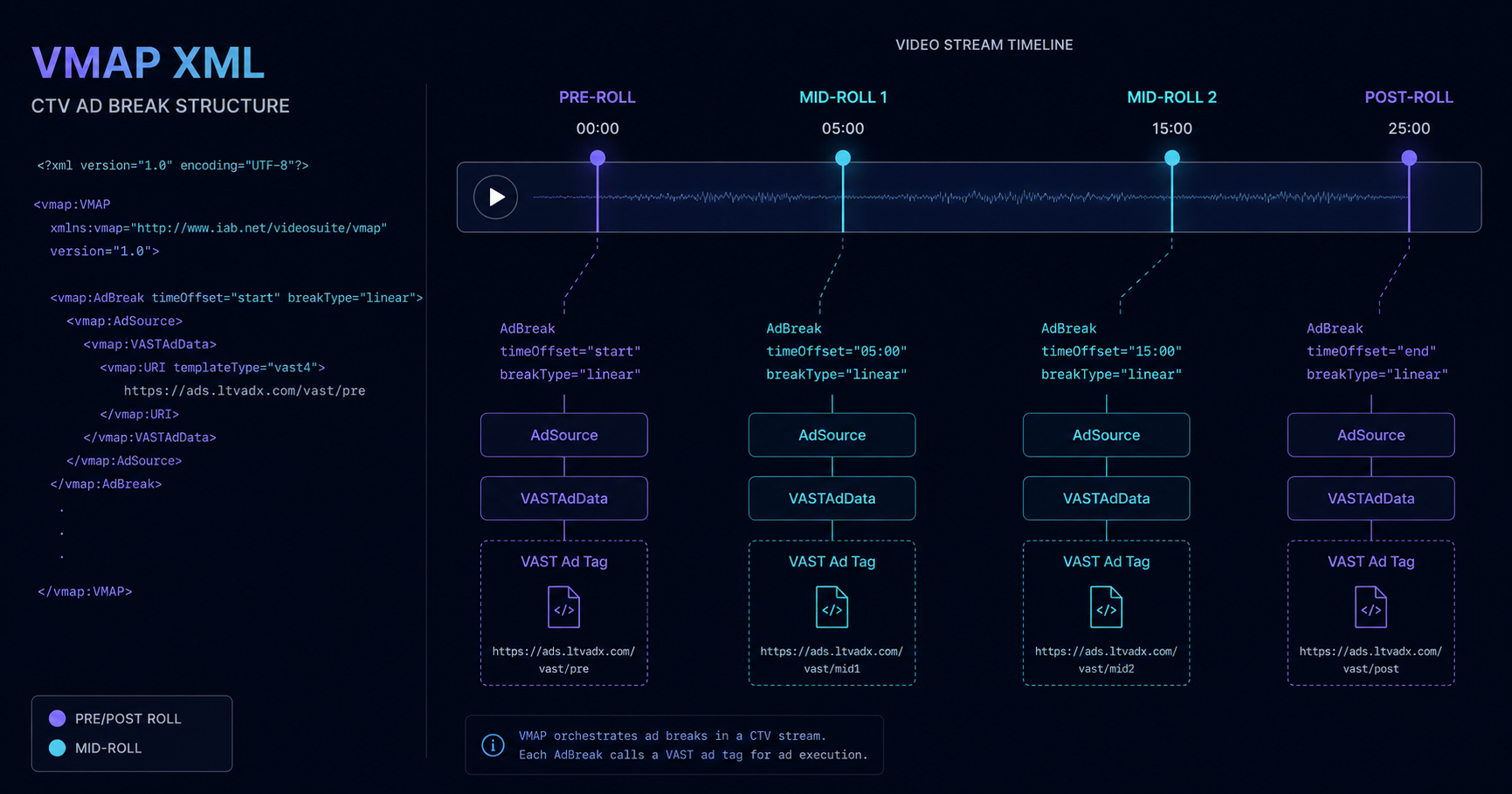
VMAP — Video Multiple Ad Playlist — is the IAB standard that tells a video player or SSAI stitcher where commercial breaks fall in a video asset and how many ad slots each break should contain. For CTV publishers and FAST channel operators, VMAP is the bridge between content scheduling decisions and ad serving execution. Misconfigured VMAP documents produce unfilled breaks, incorrect pod lengths, timing errors on VOD assets, and SSAI manifest corruption in live streams. This guide covers VMAP structure, integration with the LtvAdx SSAI engine, and the configuration decisions that affect fill rate and viewer experience.
VMAP structure: the basics
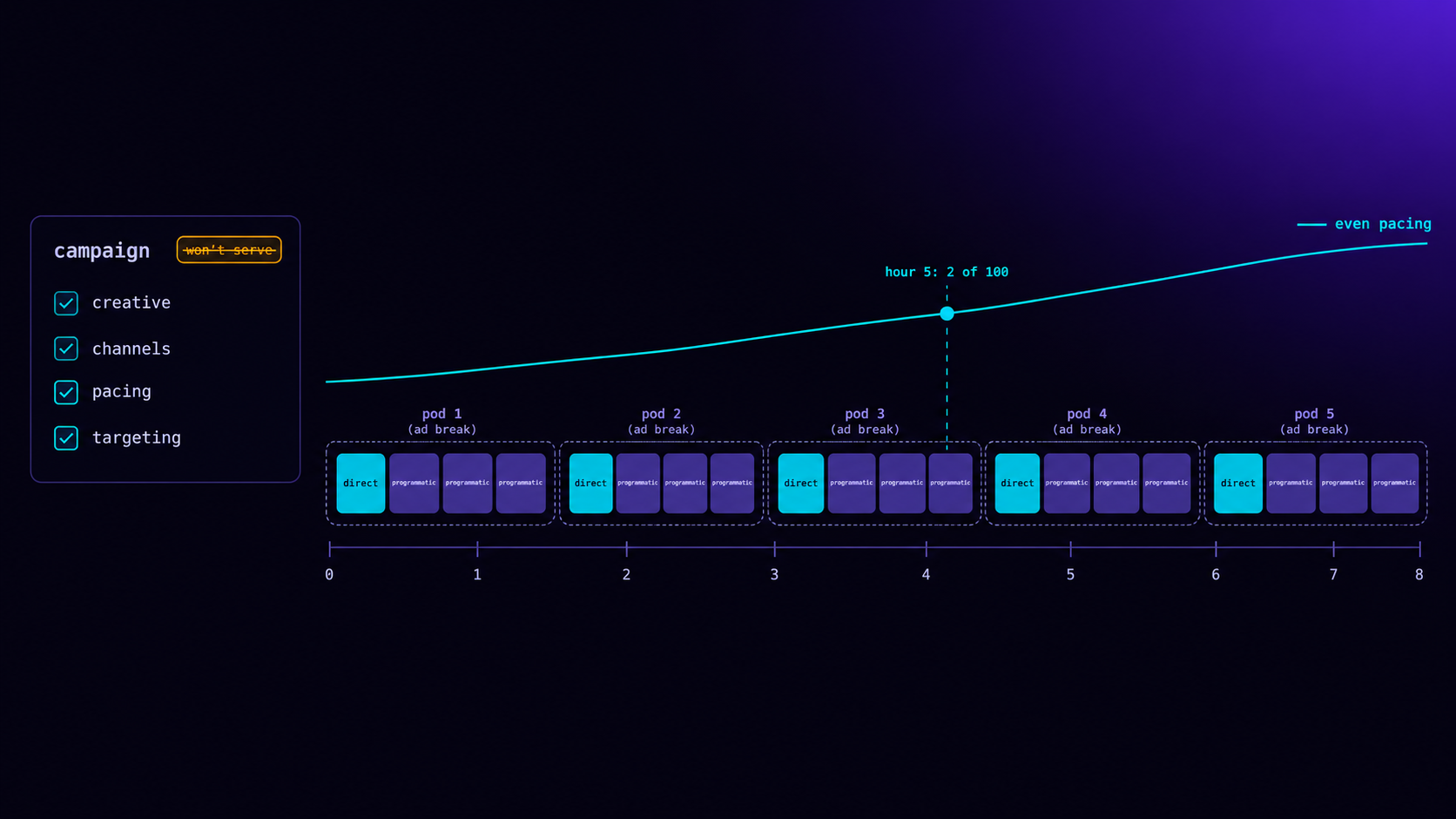
A VMAP document is an XML file that declares a sequence of ad breaks. Each break has a time offset (when in the content it occurs), a break type (linear video, nonlinear overlay, or companion), and one or more ad sources — the VAST or ad tag URLs the player should call to fill that break. The player or SSAI stitcher reads the VMAP, fires ad calls at each break offset, and either renders the returned VAST creatives (client-side) or stitches them into the manifest (server-side).
The three break offset types are: timeOffset for a specific time position (pre-roll at 00:00:00, mid-roll at 00:10:30), positionType for relative positions (start, end, or named chapter markers), and percentage-based offsets for adaptive breaks in variable-length content. For VOD, fixed time offsets match editorial break markers set at content ingest. For live, SCTE-35 cue tones replace VMAP timing because the stream clock is not fixed — the stitcher intercepts the cue tone and triggers the ad break.
VMAP and SSAI interaction
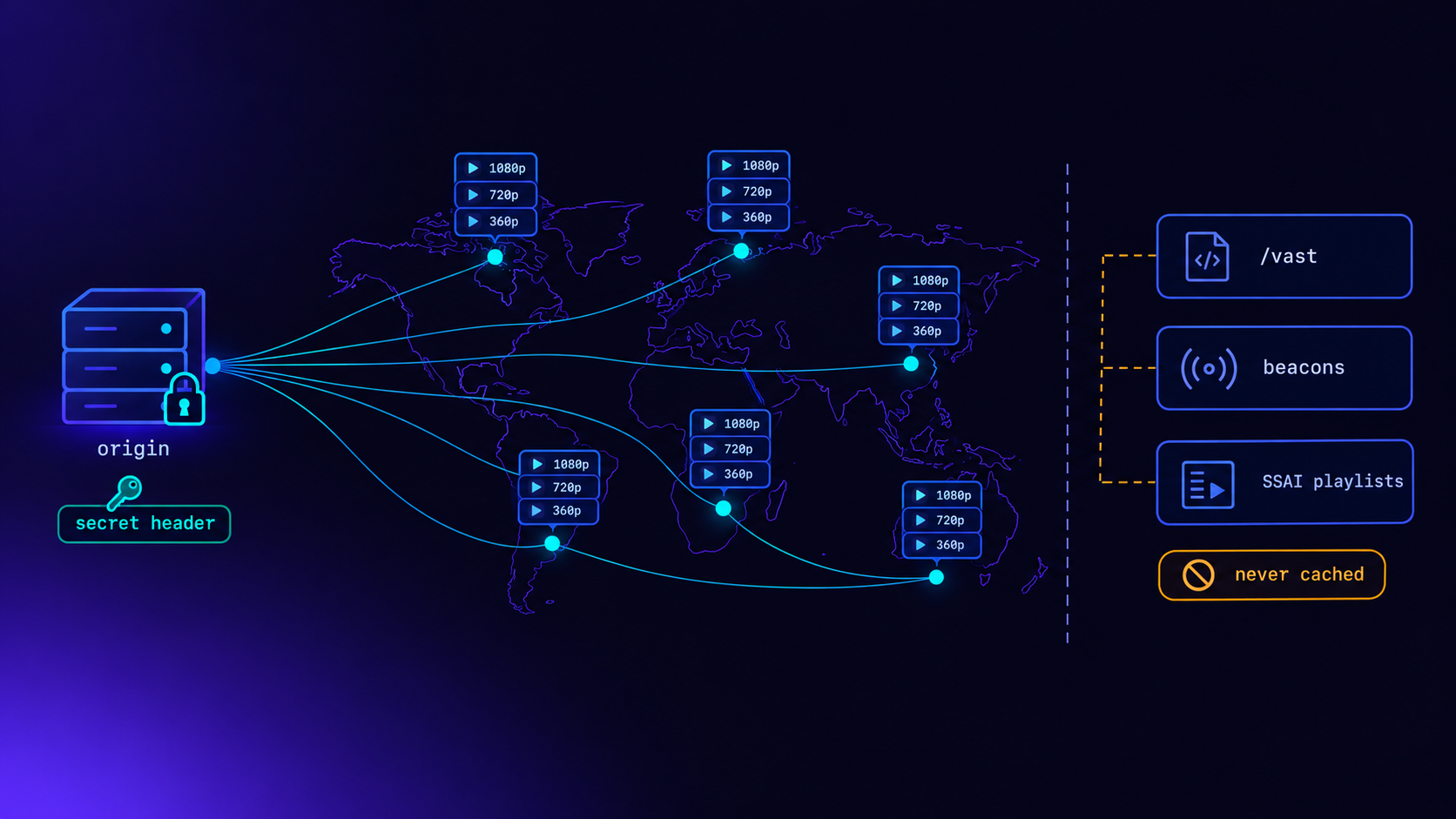
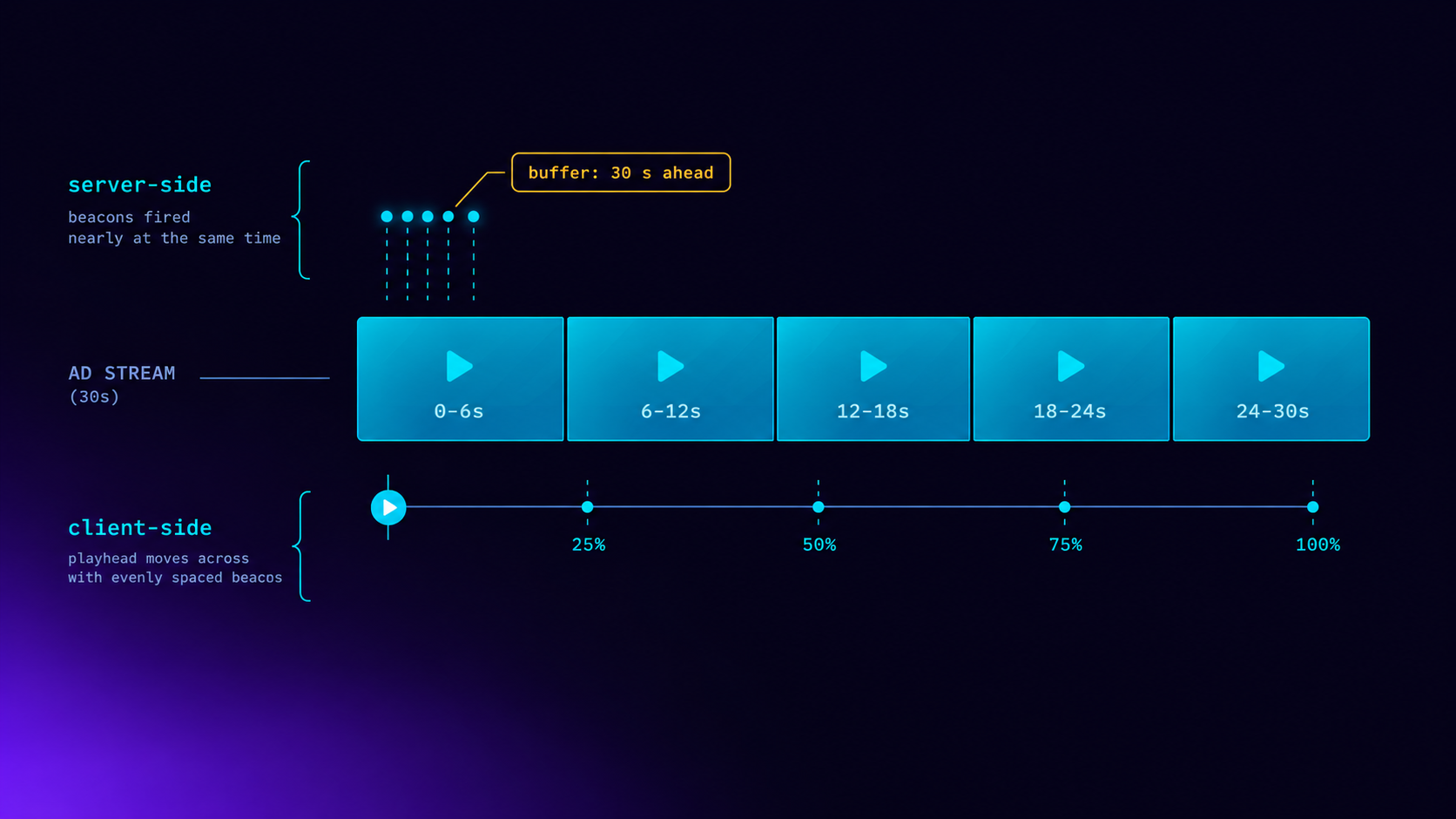
In an SSAI delivery path, the VMAP document is consumed by the LtvAdx stitcher, not the player. The stitcher reads the break definitions, makes ad calls to the LtvAdx ad server for each break, receives the winning VAST creatives, and stitches them into the HLS or DASH manifest as additional manifest segments. The player sees a continuous stream and plays through breaks without making any ad calls itself. This is why SSAI prevents ad blockers: the player has no knowledge of where programming ends and advertising begins at the manifest level.
The key VMAP parameter in SSAI configuration is breakMaxWait: the maximum time the stitcher will wait for an ad call response before inserting slate or compacting the pod. This value should be lower than your ad call timeout (typically 150–200ms for programmatic) but high enough that slow-to-respond demand sources are not systematically excluded. Set it at 300ms as a baseline and adjust based on observed fill rates and timeout logs from the LtvAdx reporting dashboard.
Pre-roll, mid-roll, and post-roll configuration
Pre-roll breaks (offset 00:00:00) have the highest fill rates and CPMs in CTV VOD. Viewers have high intent to watch the content and accept a short pre-roll pod as the price of access. Best practice for pre-roll is one or two slots maximum — more than that, and a measurable share of viewers abandon before content begins. Mid-roll breaks at natural editorial pause points produce better completion rates than mid-sentence or mid-scene breaks, which the VMAP offset allows you to control precisely at the content-level. Post-roll has the lowest fill rate and CPM but near-zero viewer impact because content has completed.
For content longer than 30 minutes, mid-roll frequency should follow a cadence that mirrors linear television conventions: breaks every 8–12 minutes is the viewer expectation for long-form drama and sports. Breaks every 4 minutes in a 60-minute drama produce significant tune-out. Configure your VMAP offsets at content ingest time using the editorial break markers from your content management system rather than generating breaks algorithmically at fixed intervals.
Multiple ad source configuration
Each VMAP break can contain multiple ad sources, enabling a fallback waterfall within a single break definition. The primary ad source is the LtvAdx ad server tag; the secondary ad source is a house promo or slate. If the primary source returns an empty VAST (no fill), the player or stitcher falls through to the secondary source. Configure the fallback source as a locally hosted VAST file pointing to your house creative, not another outbound ad call, to ensure zero-latency fallback without additional network dependency.
For FAST channels with multiple demand sources — direct IO, programmatic, and house — the demand waterfall is handled at the LtvAdx ad server level, not in the VMAP. A single VMAP ad source pointing to the LtvAdx decision endpoint is correct; building multiple ad server calls into the VMAP introduces waterfall latency and complicates tracking reconciliation. Use VMAP fallback only for house slate — everything else belongs in the publisher portal waterfall configuration.
VMAP for live and FAST linear streams
Live streams do not use VMAP time offsets because the stream clock is relative to the live edge, not a fixed VOD asset. Instead, the SSAI stitcher monitors the HLS or DASH manifest for SCTE-35 markers that signal a commercial break. The SCTE-35 marker carries the break duration, which determines pod capacity. The stitcher calls the LtvAdx ad server with the available duration, receives the pod fill, and stitches it into the manifest.
For FAST channels with a channel playout schedule, break timing is defined in the channel schedule metadata and translated to SCTE-35 markers by the playout system. Publishers using the LtvAdx FAST channel platform can configure break templates — standard pod lengths, minimum pod fill thresholds, and slate behavior — that apply globally to the channel without requiring per-break VMAP configuration. The stitcher applies the template rules to every SCTE-35 break automatically.
Testing and QA
VMAP testing requires validating three things independently: the VMAP document structure, the VAST responses returned for each break, and the final stitched manifest playback. The IAB VMAP validator confirms document structure. The LtvAdx VAST validation tool confirms that ad calls return valid, playable creatives with firing tracking events. Manifest playback QA requires testing on actual CTV devices — Roku, Fire TV, and at least one smart TV OS — because device-specific HLS and DASH parsers handle stitched manifest edge cases differently than browser players.
For detailed SSAI integration documentation including VMAP configuration examples for both VOD and live streams, review the LtvAdx SSAI documentation and the getting started guide. Publishers implementing VMAP for the first time should contact the publisher success team to review their configuration before going live. The VAST 4.2 publisher guide covers the creative tracking side of the integration that VMAP connects to.