CDN for CTV Ads: What to Cache, What to Keep Off
Put CTV ad media on a CDN, keep VAST, beacons and SSAI manifests off it. The caching rules, two near-outages and a DNS mistake from our own cutover.
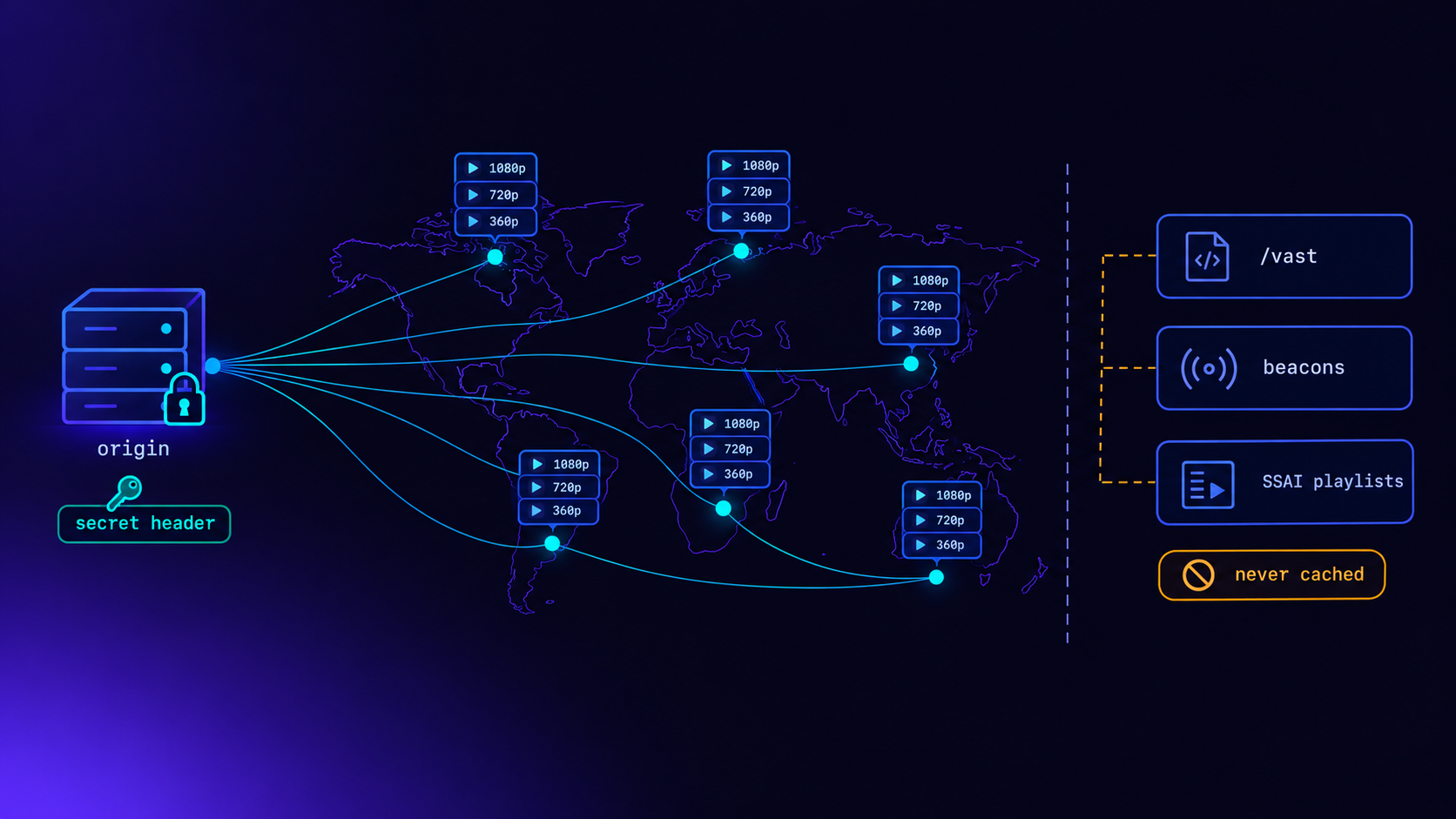
A CTV ad stack should put its ad media behind a CDN and keep everything else off it. Cache the video files, segments, posters and slate, published at versioned URLs and cached for a long time. Never put the VAST endpoint, the tracking beacons or the per-viewer SSAI manifests behind a CDN. Those depend on the viewer's real IP address, must reach the ad server every time, or change every few seconds. The split gets the CDN's real benefit, ads that start quickly on televisions far from your servers, without breaking targeting, measurement or your bill.
We moved LtvAdx's ad media onto Amazon CloudFront this week. This post covers why CTV ads need a CDN, the exact line between what we cache and what we never cache, the small details that cause outages, and a checklist to verify any setup, including ours.
Why CTV ads need a CDN at all
A television that wins an ad gets a VAST response listing video files, and then has to download one quickly enough to start playing it inside the ad break. Players allow only a short window for that. If the file does not start in time, the player gives up and reports VAST error 402, "media file timeout", and the impression is lost even though the ad was sold. The VAST error codes post explains why 402s are among the most expensive errors in CTV.
The time to first byte depends heavily on distance. A viewer in Texas fetching an ad from a single server in Mumbai crosses half the planet on every request. A CDN keeps copies of the file at edge locations near viewers, so the first byte arrives from a few hundred kilometres away instead of thousands.
There are two other reasons, both less dramatic. A CDN absorbs load, so a burst of ad requests during a popular live break, or a bot downloading the same file in a loop, hits the edge rather than the one server that also runs your ad decisions. And publishers and SSAI partners ask whether your media is on a CDN. Before this week our honest answer was no.
What a CDN does not fix
It is worth being clear about the limits, because CDNs are often sold as a cure for things they do not touch.
It does not speed up ad decisions. Choosing which ad to show depends on the viewer, the channel, frequency caps and live budgets. That cannot be cached and should not be. Our ad decisions run in memory in a few milliseconds; the CDN changes nothing about them.
It does not necessarily cut bandwidth costs. If your hosting already includes a generous outbound data allowance, as many cloud providers' plans do, a CDN can cost more than it saves on traffic. The case is latency and resilience, not price.
It does not fix bad files. A file encoded at too high a bitrate for the viewer's connection will still stall, just from closer. Conditioning matters more than delivery, as the post on CTV ad transcoding explains.
The line: what goes on the CDN
Everything on our CDN shares one property: it is the same for every viewer and it never changes once published.
On the CDN (cdn.ltvadx.com)                     Cache
──────────────────────────────────────────────  ─────────────────────────────
Ad renditions: progressive MP4 per resolution   1 year, immutable
HLS and DASH packages of each ad                1 year, immutable
  (playlists, TS and fMP4 segments, init files)
Posters and preview images                      1 year, immutable
Slate (the filler for unsold break time)        1 year, immutable
Demo and test streams                           Short (minutes) where they change
The key to caching for a year safely is that a published URL never changes its content. When an advertiser uploads a new version of an ad, it is conditioned into a new set of files at a new path, which includes a version identifier. The old URLs keep serving the old files; the new URLs serve the new ones. Nothing ever has to be removed from the cache, and a viewer midway through an ad never receives half an old version and half a new one.
That is what the immutable directive in Cache-Control promises, as defined in RFC 8246: the response will not change during its lifetime, so caches need not revalidate it. It is a strong promise, and the next section is about the two places we nearly broke it.
The line: what never goes on the CDN
The VAST endpoint. An ad request has to reach the ad server from the viewer's own address, or as close to it as possible. The address drives country targeting, household frequency capping and invalid traffic detection. Behind a CDN, every request arrives from the CDN's address, with the viewer's address in a header. You could trust that header from the CDN's ranges, but CDN address ranges are large and change, and trusting a forwarded header from the wrong source is exactly the hole we closed in October, when we stopped believing client-supplied location headers. The IP geotargeting post covers why the right address matters. And a VAST response is personal to a request; there is nothing to cache.
Tracking beacons. A beacon is a request whose whole purpose is to reach the server. A cached beacon is a lost impression. They must never be cacheable, and putting them behind a CDN invites someone to make them so by accident.
Per-viewer SSAI manifests. With server-side ad insertion, each viewer gets their own playlist, with their own ads stitched in. It cannot be shared between viewers. For live streams it changes every few seconds: a player refreshing a live playlist every six seconds makes about 600 requests an hour, per viewer. Routing those through a CDN adds a hop, caches nothing, and on a CDN plan with a request allowance, uses it up fast.
Dashboards and APIs. They are personal, authenticated and change constantly. A CDN adds risk and no benefit.
How SSAI splits the work between stitcher and CDN
Server-side ad insertion is where the split becomes interesting, because a single ad segment touches both sides of the line.
Player requests                         Answered by        Why
──────────────────────────────────────  ─────────────────  ──────────────────────────────
Session playlist (master, variants)     Stitcher           Personal to this viewer
Ad segment URL in the playlist          Stitcher           Records the request, fires
                                                           server-side beacons, checks
                                                           the signature
  → redirect (302) to the media file    CDN                Same bytes for every viewer
Programme (content) segments            Publisher's CDN    Never touched by the stitcher
The ad segment URLs in a stitched playlist point at our stitcher, which records the request, fires any server-side beacons and then redirects the player to the actual file on the CDN. The decision and the measurement stay on our servers, where the viewer's real address is visible; the heavy bytes come from the edge. The post on SSAI ad tracking explains why those beacons fire on segment requests, and the SSAI explainer covers stitching generally.
When we switched the CDN on, we tested exactly this path with test sessions in each format we stitch: HLS with TS segments, CMAF, and DASH. Each ad segment request to the stitcher returned a redirect to the CDN, which answered first from origin and then from its cache. Test sessions record and bill nothing, which is what makes them safe to run on the live system.
Cache keys: keep viewer data out of media URLs
A CDN caches by URL, so every variation in a URL is a separate cache entry. That makes one design rule essential: nothing specific to the viewer may appear in a media URL.
It is tempting to add tracking parameters to ad file URLs, such as a session ID, a viewer ID or a signed token per request. Each one turns a single cacheable file into thousands of uncacheable ones, and every request becomes a trip to the origin. The CDN then adds latency instead of removing it.
Keep the viewer-specific parts where they belong. Signatures and session identifiers go on the URLs that hit the stitcher or the ad server, which are never cached anyway. The redirect from the stitcher points to a plain, versioned media URL that is identical for every viewer. In a HLS package, that means the playlists and segments of a given ad version are shared by everyone who sees it, and the cache hit rate stays high. The VAST 4.2 guide covers where tracking belongs in a VAST response instead.
Where the edge matters most: live breaks
On-demand viewing spreads ad requests across the day. Live channels do the opposite. When a live break starts, every viewer of that channel reaches it within a few seconds of each other, and many of them are served the same ads.
Without a CDN, that is a burst of identical downloads hitting one server at once, at exactly the moment playback is most fragile. With a CDN, the first request for each file at each edge location goes to the origin and the rest are served from the edge. Most CDNs also collapse simultaneous requests for the same uncached file into a single origin fetch, so even the very first break after an ad is approved does not multiply load on the origin.
If you know an ad will run in a high-audience live break, it is worth requesting its renditions through the CDN once beforehand, from the regions that matter, so the first real viewers hit a warm cache. The live sports advertising guide covers how live breaks are sold and why the first seconds of each break carry so much value.
Two details that would have caused outages
Before switching anything on, we read our own media server's configuration with the CDN in mind. Two things would have hurt.
Immutable on errors. Our media server added Cache-Control: public, max-age=31536000, immutable to every response, including 404s. Without a CDN that is mostly harmless. With one, a request for a file that did not exist yet, such as a player asking for a rendition a moment before conditioning finished, would teach the edge that the file was missing, and it could keep saying so for a year. We changed the server so only successful responses carry the long cache header, and checked that a missing file now comes back without it.
One file that changed in place. Everything we publish is written once to a new path, except one: a demo ad asset that was overwritten at the same address whenever it was rebuilt. Served as immutable for a year, the edge would have kept the old version indefinitely. That path now has a short cache lifetime. If you have any file that is updated in place, find it before your CDN does.
Three more things are not outages but break players if missed: range requests, CORS and redirects. Players fetch large MP4s in pieces using range requests, and the CDN must answer them with a 206 partial response. Web-based players need cross-origin headers on every media response and an answer to the browser's preflight OPTIONS request. And plain http should redirect to https rather than fail. We checked each through the CDN before calling it done.
Protecting the origin
A CDN pulls files it does not have from your origin server. If anyone can also reach the origin directly, the CDN's protection is optional for an attacker. So the origin should answer only the CDN.
We moved the origin to its own hostname and made it refuse any request that lacks a secret header which only the CDN sends. Requests without the header, or with a wrong value, get a 403. AWS describes the same pattern for its own load balancers in its guide to restricting access with custom headers.
A secret header is only as good as the secret. During setup, ours was exposed somewhere it should not have been, so we rotated it the same morning: new value on the origin and on the CDN, confirmed that the old value is refused and that cache misses still succeed. Plan the rotation procedure before you need it. Ours is: accept both old and new values at the origin, change the CDN, then drop the old value.
One dependency gets much more serious with a CDN in front: the origin's TLS certificate. The CDN connects to the origin over HTTPS. If that certificate lapses, every cache miss fails, and every ad that is not already cached stops playing everywhere at once. While checking ours, we found that its automated renewal had quietly broken, weeks before it would have expired. We renewed it and wrote down the procedure. If you add a CDN, check the origin certificate's renewal the same day.
The DNS mistake that took the CDN down
This one is worth telling in full, because it is not in any CDN guide and it caught us.
To use our own hostname, cdn.ltvadx.com, on the CDN, the certificate authority needs a validation record: a DNS entry with a name like _abc123.cdn.ltvadx.com. We added it. Shortly afterwards, cdn.ltvadx.com stopped resolving entirely.
The reason: cdn.ltvadx.com had never had a record of its own. It had always been answered by a wildcard, *.ltvadx.com. Under DNS rules, once any name exists beneath cdn, cdn itself becomes a name that exists but has no records, and the wildcard no longer applies to it. Resolvers returned an empty answer. Every ad media URL broke until we gave cdn an explicit record.
The lesson generalises: if a hostname is served by a wildcard, adding any child record beneath it removes it from the wildcard. Give it its own record first.
Sizing a CDN for CTV ads
CTV ad files are large, so bandwidth usually runs out before request counts do. One 30-second ad play, by delivery method:
Delivery                          Data per play     Requests per play
────────────────────────────────  ────────────────  ─────────────────
Progressive MP4, 1080p            about 23 MB       1–5 (range requests)
Progressive MP4, 720p             about 11.7 MB     1–5
Progressive MP4, 360p             about 3.5 MB      1–5
HLS ad break, 30 s                similar, by rung  about 7 (playlists + segments)
At 720p, 100 GB of transfer covers roughly 8,500 ad plays, while a million requests covers around 140,000 HLS ad breaks. Bandwidth is the constraint by a wide margin, which is why encoding ladders and the rung players actually choose matter so much for cost.
We chose a flat-rate plan with a fixed monthly allowance rather than pay-as-you-go, even though pay-as-you-go's free allowance is larger. The deciding factor was that nothing caps a pay-as-you-go bill. A single bot downloading 1080p ad files in a loop would be billed per gigabyte for as long as it ran. A fixed plan turns that risk into a throttle. As volume grows, the signal to move to a bigger plan is sustained use near the allowance, not a surprise invoice.
A checklist to verify any CTV ad CDN
These checks take a few minutes with curl and catch most problems. Replace the example host and paths with your own.
# 1. Served from the edge on the second request
curl -sI https://cdn.example.com/ad/v1/720p.mp4 | grep -i x-cache

# 2. Range requests return 206
curl -s -r 0-1023 -o /dev/null -w '%{http_code}\n' https://cdn.example.com/ad/v1/720p.mp4

# 3. CORS preflight answered
curl -s -o /dev/null -w '%{http_code}\n' -X OPTIONS \
  -H 'Origin: https://player.example' \
  -H 'Access-Control-Request-Method: GET' https://cdn.example.com/ad/v1/hls/master.m3u8

# 4. A missing file is not cached as immutable
curl -sI https://cdn.example.com/does-not-exist-$(date +%s) | grep -i cache-control

# 5. The origin refuses requests that skip the CDN
curl -s -o /dev/null -w '%{http_code}\n' https://origin.example.com/ad/v1/720p.mp4

# 6. The VAST endpoint is NOT behind the CDN (no CDN headers)
curl -sI 'https://ads.example.com/vast?...' | grep -i -E 'x-cache|via'
Then play a real ad break through the stack in a real player, as the last step. The VAST inspector lists the media URLs a tag returns, so you can confirm they point at the CDN, and the VAST validator checks the response itself.
What publishers should ask an ad server
- Is ad media served from a CDN, and from which regions?
- Is the VAST endpoint kept off the CDN, so targeting and frequency capping see the viewer's real address?
- Are media URLs versioned, so a creative update cannot leave viewers with a mix of old and new files?
- Can the origin be reached directly, bypassing the CDN?
- What happens to ad playback if the CDN or the origin certificate fails?
- How often do your ads fail with error 402 in my regions?
The last question is the one that connects all of this to revenue. The fill rate vs rendered impressions post explains why ads that are sold but never play are the most expensive gap in CTV, and the end-to-end ad serving guide shows where media delivery sits in the full chain. Publishers running live channels can read how breaks are handled in the SCTE-35 live stitching post.
The LtvAdx SSAI service and the ad server both serve conditioned ad media from the CDN described here, and channel operators can see how it fits together on the FAST channels page. Developers will find the endpoints in the API reference.
Frequently asked questions
Should CTV ad creatives be served from a CDN?
Yes. Players allow only a short time to start an ad, and a file fetched from a distant server often misses it, producing VAST error 402 and a lost impression. A CDN serves the file from an edge location near the viewer. Version the file URLs so they can be cached for a long time safely.
Should a VAST endpoint be behind a CDN?
No. Ad decisions depend on the viewer's real IP address for country targeting, household frequency capping and invalid traffic detection, and each VAST response is unique to its request. Behind a CDN the ad server sees the CDN's address, and trusting a forwarded address header risks spoofing.
Can SSAI manifests be cached on a CDN?
Not per-viewer manifests. Each viewer's playlist contains their own ads, and live playlists change every few seconds, so there is nothing to share between viewers. The ad and programme segments those playlists reference can and should be served from CDNs.
What Cache-Control header should ad media use?
For files that never change once published, a long lifetime with the immutable directive, such as public, max-age=31536000, immutable. Only send it on successful responses. Never send it on 404s or on any file that is overwritten in place, or caches may keep the wrong answer for a year.
How much CDN bandwidth do CTV ads use?
Roughly 23 MB per play for a 30-second ad at 1080p, about 11.7 MB at 720p and about 3.5 MB at 360p. At 720p, 100 GB covers about 8,500 plays. For CTV ad media, bandwidth usually runs out long before request allowances do.
How do you stop people bypassing the CDN to reach the origin?
Give the origin its own hostname and have it refuse any request that lacks a secret header added by the CDN. Rotate the secret on a planned procedure: accept old and new at the origin, update the CDN, then drop the old value.
Why did my hostname stop resolving after adding a CDN validation record?
If the hostname was served only by a wildcard DNS record, adding any record beneath it, such as a certificate validation entry, makes the hostname exist without records, and the wildcard stops applying. Give the hostname its own explicit record before adding child records.
Stay ahead of CTV and addressable TV
Get articles on streaming monetization, identity, and programmatic TV.
Subscribe + request demo →Head of CTV Product, LtvAdx
Related articles
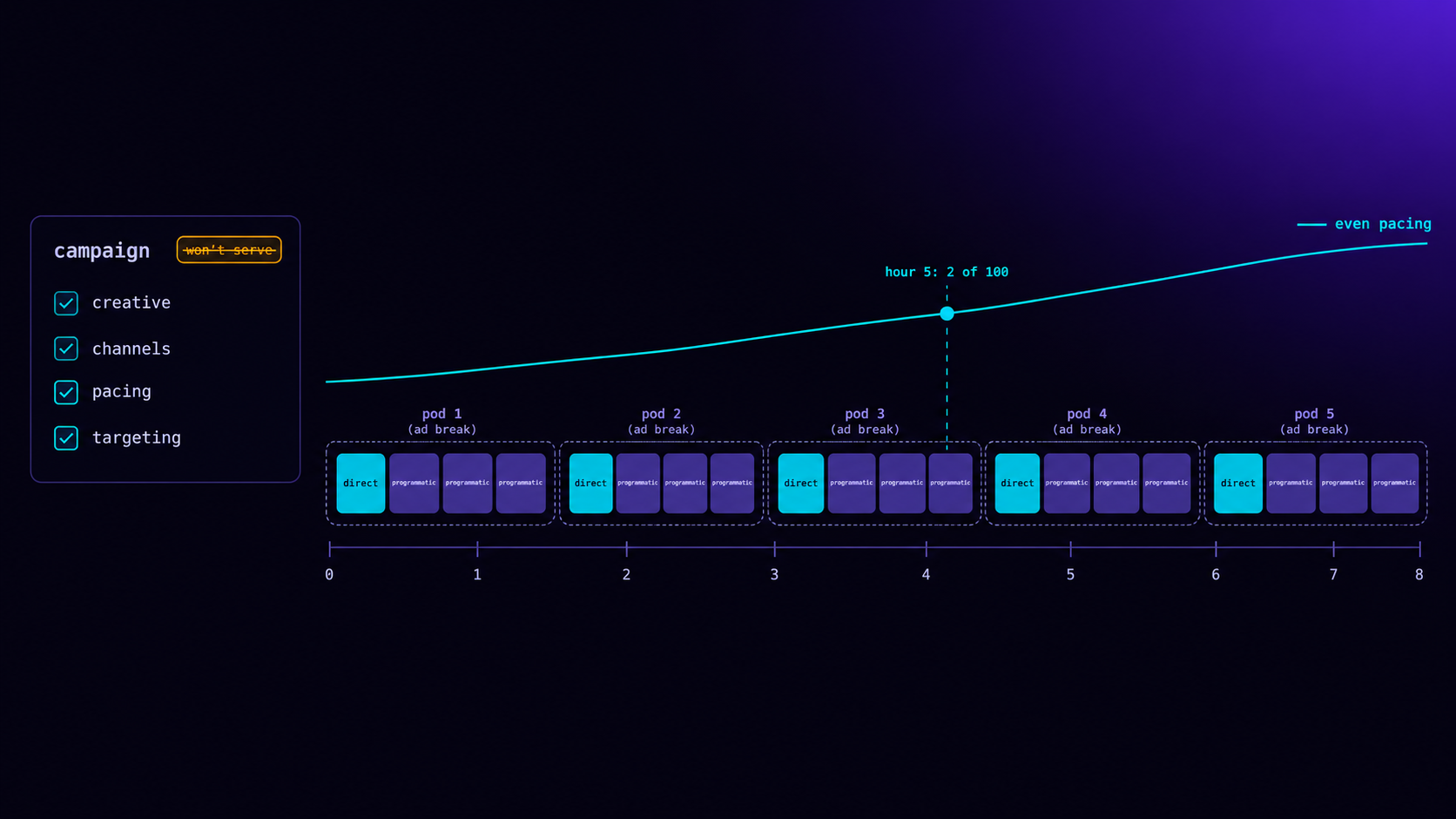
Selling Ads Directly on Your FAST Channel
What a direct-sold CTV campaign needs to serve: a playable creative, channels, pacing and targeting. Plus the defects we fixed and a live test.
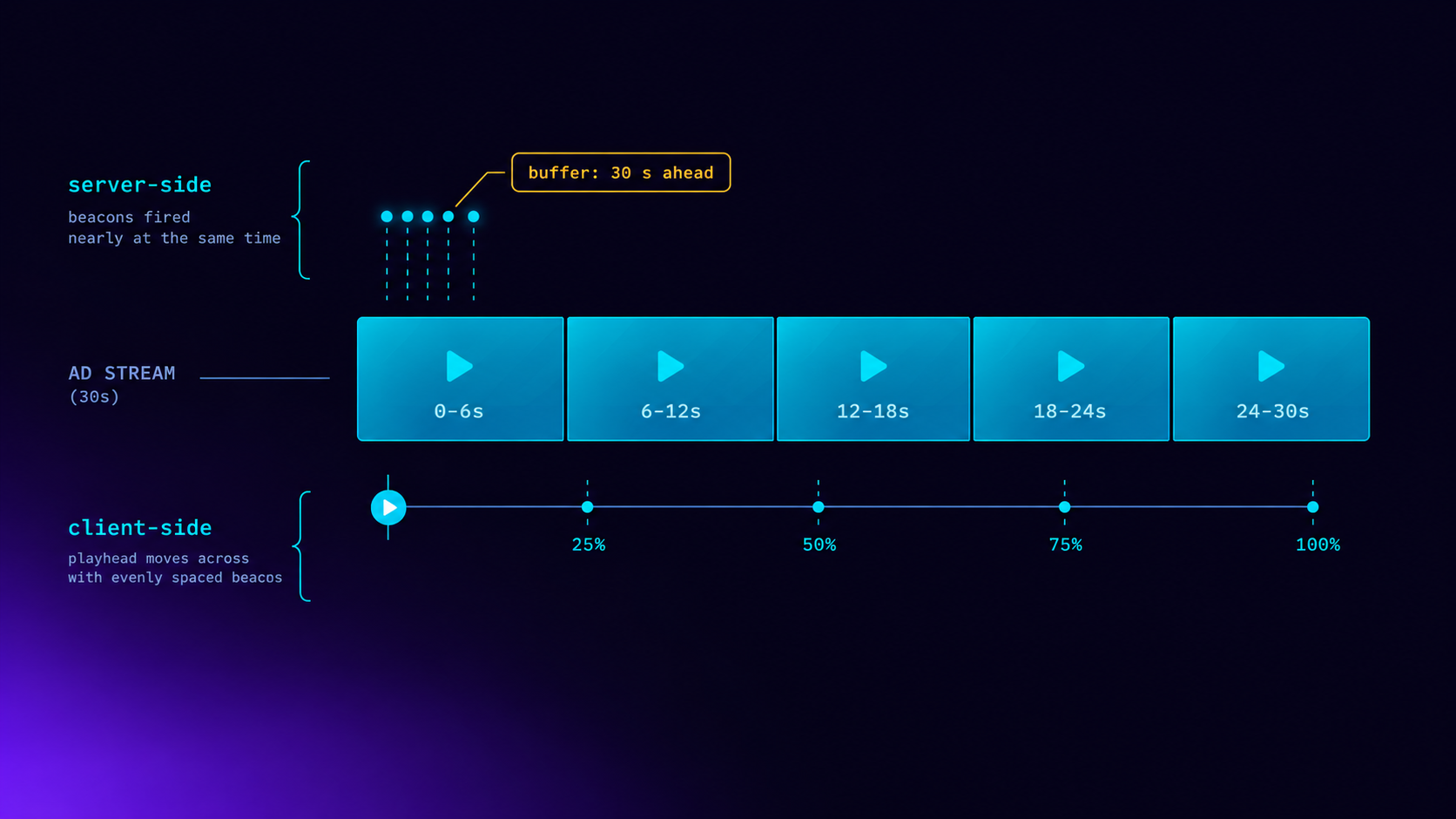
SSAI Tracking: Server-Side vs Client-Side Beacons
Server-side SSAI beacons fire when segments are fetched, not watched. How server and client tracking differ, and three problems both must solve.

SCTE-35 in HLS: What Breaks When You Stitch Live
Reading the SCTE-35 cue is easy. Filling the break, keeping HLS sequence numbers monotonic and deciding once across variants is where live SSAI fails.

VAST Error Codes in CTV: Which Ones Cost Money
Error 303 is usually no-fill. Errors 401 to 405 are won ads that never played. How to price each VAST error code in CTV, and who owns the fix.
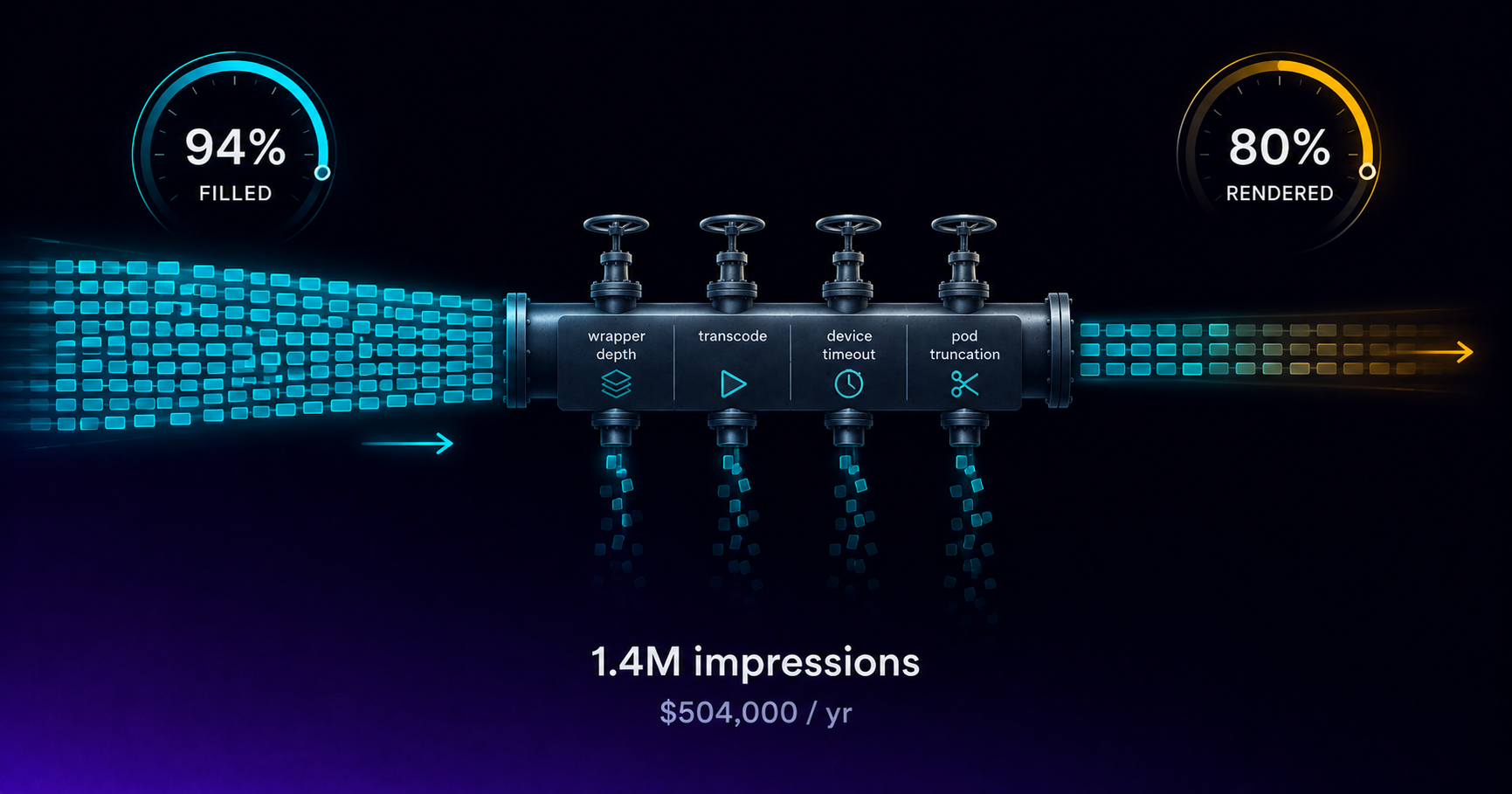
Your CTV Fill Rate Says 94%. Revenue Says 80%.
Fill rate counts ads returned, not ads played. The gap between them is unmeasured CTV revenue, and four specific failures cause it every month.

VAST 4.2 Guide for CTV Publishers
VAST 4.2 formalizes the fields DSPs and verification vendors require for CTV. What publishers need to implement, validate, and test before launch.
Start trading TV
Ready to monetise CTV inventory?
See how LtvAdx fits your streaming and addressable TV setup — start free or book a walkthrough.
<10ms
VAST decision latency
p99 under 15ms — product specification
7-tier
HouseholdID graph tiers
UID2 · PPID · ADID · DeviceID · ACR · IP/24 · fingerprint
Illustrative platform metrics · System status