SCTE-35 in HLS: What Breaks When You Stitch Live
Reading the SCTE-35 cue is easy. Filling the break, keeping HLS sequence numbers monotonic and deciding once across variants is where live SSAI fails.

SCTE-35 is the cue that tells a server-side ad inserter where a live ad break starts and how long it lasts. In an HLS stream it reaches the stitcher in one of three forms: the widely used #EXT-X-CUE-OUT and #EXT-X-CUE-IN tags, an #EXT-X-DATERANGE tag carrying SCTE-35 data, or the raw SCTE-35 message encoded in base64. Reading the cue is the easy part.
The hard parts come after it, and they are the ones that make live streams stall, skip or show the wrong ad. Ads almost never add up to the exact length of the break, so the gap has to be filled. Every segment after a replaced break needs renumbering without the numbers ever going backwards. Each bitrate variant asks for the playlist separately, and the ads chosen for a viewer have to match across all of them. And a viewer who joins halfway through a break has missed the cue entirely.
I recently built live replace-mode stitching for the LtvAdx SSAI service. This post covers what SCTE-35 is, how it appears in HLS, and the problems that took the actual work, with the rule we settled on for each.
What is SCTE-35?
SCTE-35 is a standard from the Society of Cable Telecommunications Engineers, formally the Digital Program Insertion Cueing Message. It was written so cable operators could splice local advertising into national network feeds at the right moment. The network inserts a small binary message into the stream ahead of each break, and equipment downstream uses it to know when to switch away from the network feed and when to come back.
Streaming inherited it because live streaming inherited broadcast's ad breaks. A live channel delivered over the internet still has breaks decided by whoever produces the programme, and an SSAI service still needs to know where they are. The SCTE-35 glossary entry has the short version.
Two command types carry nearly all ad cues:
splice_insert(command type 0x05). The older and simpler form: an out-of-network flag that says "break starts here" or "break ends here", an optional break duration and an event id. Many live feeds still use it.time_signal(command type 0x06) with segmentation descriptors. A timestamp plus one or more descriptors that say what kind of segment is starting or ending. The descriptor's type id identifies the event, such as break start (0x22), provider advertisement start (0x30) or provider placement opportunity start (0x34). This form is richer and is what most modern feeds send.
A practical consequence: not every SCTE-35 message is an ad break. Programme start and end, chapter markers and content identification all use the same machinery. A stitcher that treats every time_signal as a break will insert ads into the middle of programmes. Ours opens a break only for the segmentation types that mean an advertising opportunity or a break, and ignores the rest.
How SCTE-35 appears in an HLS playlist
HLS is a text format, so the binary SCTE-35 message has to be carried in a playlist tag. There is no single convention, and an SSAI service that wants to work with real origins has to read all three that are in common use.
# 1. Cue-out / cue-in (de facto, not in the HLS spec)
#EXT-X-CUE-OUT:DURATION=60
#EXTINF:6.000,
seg_1041.ts
#EXT-X-CUE-OUT-CONT:ElapsedTime=6,Duration=60
#EXTINF:6.000,
seg_1042.ts
...
#EXT-X-CUE-IN

# 2. Date range (RFC 8216, section 4.3.2.7.1)
#EXT-X-PROGRAM-DATE-TIME:2026-10-02T14:30:00.000Z
#EXT-X-DATERANGE:ID="brk-881",START-DATE="2026-10-02T14:30:00.000Z",
  PLANNED-DURATION=60.0,SCTE35-OUT=0xFC30...

# 3. Raw message, base64 (common in AWS and broadcast tooling)
#EXT-OATCLS-SCTE35:/DA0AAAAAAAA///wBQb+...
Each has a trade-off. Cue-out tags are the easiest to read and the most widely produced, but they live outside the HLS specification and their attributes vary by vendor: DURATION=60, :60, ElapsedTime=6,Duration=60 or :6/60 for the continuation. Date ranges are standard and tie the break to wall-clock time through EXT-X-PROGRAM-DATE-TIME, which is precise but depends on the origin's clock. The raw message carries everything the encoder knew, including the command type and descriptors, but needs a binary parser.
Our cue reader accepts all three, plus #EXT-X-SCTE35:CUE=, and decodes the binary forms to read duration, event id, the out-of-network flag and cancellation. When a playlist carries more than one form for the same break, the cues in the stream win over any fallback schedule. If you produce a live stream for an SSAI vendor, the first question to settle is which of these forms your encoder emits and whether the vendor reads it. The VMAP inspector covers the equivalent question for VOD break schedules.
Replace, not insert
For video on demand, SSAI inserts: the ads are added to the content, and the programme gets longer by their length. Live cannot work that way. A live stream has a moving edge, and inserting two minutes of ads would push every viewer two minutes behind the live picture, then further behind with every break.
So live SSAI replaces. During the break the origin sends its own break content, often a network ad, a local placeholder or a slate. The stitcher swaps those segments for the viewer's ads, segment for time, and returns to the origin at the end of the break. The stream's timeline and latency remain the origin's. This is how a broadcast splicer has always worked, and it is the model we chose. The SSAI explainer covers the VOD side and the general architecture.
Problem one: ads never add up to the break
A 60-second break is the one number you know in advance. The pod you can fill it with is whatever demand was eligible for that viewer at that moment. In practice those rarely match.
Break signalled              120 s
Eligible pod                 30 s + 30 s + 15 s   =  75 s
Remaining                    45 s

Output for this viewer:
  ad 1   30 s   (discontinuity before)
  ad 2   30 s   (discontinuity before)
  ad 3   15 s   (discontinuity before)
  slate  45 x ~1 s segments
  → back to origin at the cue-in
The remainder has to be filled with something, because a live stream cannot simply pause. The usual answer is slate: a short neutral clip, typically the channel's branding, repeated to the break's length. We cut slate into roughly one-second segments so the break can be filled to within a second of its signalled length. With six-second slate segments a break could only be filled to the nearest six seconds, and the overshoot or gap shows up as a stall or a jump at the cue-in.
The opposite case is less common and just as important: a pod longer than the break, or a cue-in that arrives earlier than the signalled duration. Our rule is that the origin's cue-in always wins. Whatever has not played when the break ends is cut, and its beacons do not fire, because the viewer never saw it. That costs an impression. A stitcher that runs past the cue-in and pushes the programme later costs the viewer the start of whatever comes next, which is worse.
Slate time is also a revenue number worth watching. Every second of slate is a second of break nobody was paid for. On a FAST channel with tight demand, the share of break time filled with slate can matter more than CPM. Our ad pod strategy and FAST channel yield posts cover how pod structure affects it.
Problem two: the numbers can never go backwards
This is the problem that makes live SSAI genuinely hard, and it is invisible until a player stalls.
An HLS media playlist numbers its segments with a media sequence, and every time a player refreshes the playlist it relies on those numbers to know which segments are new. If the number for the same moment in the stream changes between two refreshes, or goes backwards, the player either re-downloads segments it already played, skips some, or stalls.
Replacing a break changes the count. If the origin used ten six-second segments for a 60-second break, and the stitched version uses three ads plus fifteen one-second slate segments, the output has eighteen segments where the origin had ten. Every segment after that break is now eight numbers further along than the origin's number for it. That offset has to be applied consistently, on every refresh, by every server answering for that viewer, for as long as the break remains anywhere in the sliding window.
Our rule makes the output number a pure function of stored state: the origin's sequence number, plus the difference between output and origin segments for every closed break before it. Breaks are recorded once and never rewritten, so the result is the same on every poll and can only grow. Discontinuity sequence numbers are handled the same way, because each ad introduces a discontinuity the origin never had, and each one has to be accounted for as it leaves the window.
This is the kind of thing a unit test can show is correct and only a long-running test can show actually stays correct. More on that below.
Problem three: one decision, many variants
An HLS stream offers several variants at different bitrates and resolutions, and a player fetches the variant playlist that suits its connection. During a break, the player may switch variants. A device on a fluctuating connection may refresh two variant playlists within the same second.
If each variant request made its own ad decision, a viewer could see one ad in 1080p, switch to 720p and see a different ad, and two impressions could be counted for one break. So the decision has to be made once per viewer per break and shared by every variant.
We record each break's pod the first time any variant sees its cue-out, using a write that only succeeds if nothing is there yet. If two variants race, one decision wins and the other is discarded before anything is served. Every variant then renders the same ads, cut from renditions that match its own resolution. That last point depends on the creative having been prepared in matching renditions in the first place, which is why we condition every uploaded creative into HLS renditions at upload time rather than at break time. The creative best practices post covers what the source file should look like.
Problem four: joining in the middle of a break
A live playlist is a sliding window, typically a minute or two of recent segments. A viewer who tunes in partway through a break receives a playlist whose cue-out has already scrolled out of the window. The stitcher sees segments it knows are inside a break, from continuation tags or a date range, but it never saw the start.
There are two options. Guess a pod and start it partway through, or play the rest of that break as the origin sent it. We do the second. A pod started partway through means ads cut off at the start, beacons that fire for half-shown ads, and a decision made without the break's full length. The origin's own break content is a safe fallback, and the viewer's first full break will be stitched normally. One break for a late joiner is a small cost against getting the numbers wrong for everyone.
Problem five: what the player is told about the ads
Each ad inside a stitched break is preceded by a discontinuity tag, which tells the player that timestamps and encoding parameters change at that point. Without it, a player fed an ad encoded differently from the programme can freeze or show corrupted frames at the join. This is basic and easy to get wrong when ads come from many sources with different encoders.
Measurement is the other half. With server-side stitching, the device never sees a VAST response, so impressions and quartiles are either fired by the server as segments are fetched, or reported by the player using tracking information the server provides. We support both: a server-side mode where fetching an ad segment fires its beacons, and a client-side mode where the player reads a tracking endpoint and fires signed URLs itself. Which is right depends on whether the publisher's player can do it. The SSAI beacon tester checks whether beacons fire at all, and the VAST error codes post covers what happens when an ad fails to play inside a stitched stream.
Loudness belongs here too. A stitched ad that is louder than the programme is now a compliance problem in California as well as a viewer one, covered in our post on CTV ad loudness.
What a stitched break looks like in reporting
Live SSAI changes what the numbers in a delivery report mean, and it is worth knowing before the first campaign runs on a live channel.
An avail is not an impression. Every cue-out is an opportunity, but a break only produces impressions for the ads that were decided and actually played. Breaks a viewer joined midway, breaks cut short by an early cue-in and breaks filled with slate all count as avails without impressions. A publisher comparing break counts to impression counts will see a gap, and most of it is legitimate. Our post on fill rate versus rendered impressions covers how to read that gap without over-correcting.
Slate time is a metric, not noise. Report it per channel and per daypart. A channel with plenty of demand in prime time and long stretches of slate overnight has a pricing or floor problem in the overnight hours, not a technical one.
Beacons arrive in a different shape. With server-side reporting, impression and quartile beacons are fired as segments are fetched. That is earlier and more regular than player-side reporting, and it means a viewer who closes the app mid-ad may still have fetched the next segment. The standards debate about server-fired versus device-fired measurement is real. The practical point is to know which mode a channel uses before comparing its numbers with another channel's. The end-to-end CTV ad serving walkthrough shows where each beacon sits in the chain, and the VAST 4.2 guide covers the tracking events themselves.
Live and VOD should be reported separately. Live breaks are fixed by the programme and can only be replaced. VOD breaks are placed by the publisher and can be added. Their fill, completion and slate behaviour differ enough that a blended number hides problems in both.
How we tested it, and what the test showed
The failures in live SSAI are timing failures. They appear after twenty minutes, on the third break, when two variants are polled in the same second. A test that stitches one break and checks the output is not enough. So the test that mattered was a long one against a moving stream.
We built a small live origin simulator that emits a sliding-window playlist with SCTE-35 cue-outs at intervals, and pointed the production stitcher at it. A checker polled the stitched playlists continuously and verified on every response that media sequence and discontinuity sequence never went backwards and that segments stayed consistent between polls, while a standard web player, hls.js, played the stream end to end.
30-minute soak, production stitcher, simulated live origin
  Playlist polls checked          1,735
  Sequence / consistency errors       0
  Player stalls (hls.js)              0
  Ad beacons                     fired once per ad
One more honest result from the first production run. Every break in it was filled entirely with slate, because no campaign was eligible to serve into the test channel. That was the correct behaviour: the stream played through, the numbering held, and nothing was billed for ads nobody saw. A stitcher that fails safely with no demand matters more than one that looks good in a demo.
A checklist for publishers sending live streams to SSAI
If you produce a live channel and hand it to an SSAI service, these are the questions that decide whether the first week goes smoothly.
- Which cue format does your encoder emit? Cue-out tags, date ranges, raw base64 or more than one. Confirm the SSAI service reads that exact form.
- Do your cues carry a duration? A cue-out without a duration forces the stitcher to wait for the cue-in to know how long the break is, which makes pod planning harder.
- Are cues identical across every variant? A cue present in 1080p and missing in 480p produces different outputs for the same viewer.
- Is program date time accurate if you use date ranges? A clock drifting by seconds moves every break.
- Which segmentation types open a break? Make sure programme start and end signals are not being read as ad opportunities.
- What does the break show when unsold? Agree on a slate, ideally your own branding, so unsold time looks intentional.
- How long are your segments? Shorter segments let breaks start and end closer to the cue.
For the commercial side, how live breaks are priced and filled, the live sports advertising guide and FAST channel monetisation playbook pick up where this post stops. If you run linear channels, the addressable linear TV guide covers how the same cues drive household-level replacement. Channel operators can see how this fits together on the FAST channels page.
Frequently asked questions
What is SCTE-35 used for?
SCTE-35 signals events inside a video stream, most importantly the start and end of ad breaks. It was created so cable operators could insert local ads into national feeds and is now used by server-side ad insertion services to find live breaks in streaming channels. The same standard also signals programme boundaries and other events, which a stitcher has to tell apart from ad opportunities.
What is the difference between splice_insert and time_signal?
splice_insert is the older command: it marks a break starting or ending, with an optional duration and event id. time_signal carries a timestamp plus segmentation descriptors that describe what kind of segment is starting or ending, such as a break or a provider advertisement. time_signal is richer and more common in modern feeds, but it also signals non-advertising events, so a stitcher must check the segmentation type.
How is SCTE-35 carried in HLS?
In three common forms: the de facto EXT-X-CUE-OUT and EXT-X-CUE-IN tags, the standard EXT-X-DATERANGE tag with SCTE35-OUT, SCTE35-IN or SCTE35-CMD attributes defined in RFC 8216, and the raw SCTE-35 message encoded in base64, for example in EXT-OATCLS-SCTE35. Vendors differ in which they produce and which they read, so confirm both sides before going live.
What happens if the ads are shorter than the ad break?
The remainder is filled with slate, a short neutral clip repeated to the break's length, because a live stream cannot pause. Cutting slate into short segments, around one second, lets the stitcher fill the break precisely so the return to the programme happens on time. Slate time is unsold break time, which makes it a useful revenue metric.
Why do live streams stall during ad breaks?
Often because the stitched playlist's numbering changed between refreshes. Replacing a break changes the number of segments, so every later segment must be renumbered consistently on every request. If the media sequence or discontinuity sequence ever goes backwards, or ads are inserted without discontinuity tags, players re-fetch, skip or stall.
What happens when a viewer joins in the middle of an ad break?
The break's cue-out has already left the live playlist window, so the stitcher never saw its start. Rather than start a pod partway through, the safer behaviour is to play the rest of that break as the origin sent it and stitch the viewer's next full break normally.
Is live SSAI different from VOD SSAI?
Yes. VOD SSAI inserts ads into the content, making the programme longer. Live SSAI replaces the origin's break content with the viewer's ads, segment for time, so the stream stays at the live edge. Live also has to handle a sliding playlist window, concurrent requests from several variants and viewers joining mid-break.
Stay ahead of CTV and addressable TV
Get articles on streaming monetization, identity, and programmatic TV.
Subscribe + request demo →Head of CTV Product, LtvAdx
Related articles

VAST Error Codes in CTV: Which Ones Cost Money
Error 303 is usually no-fill. Errors 401 to 405 are won ads that never played. How to price each VAST error code in CTV, and who owns the fix.
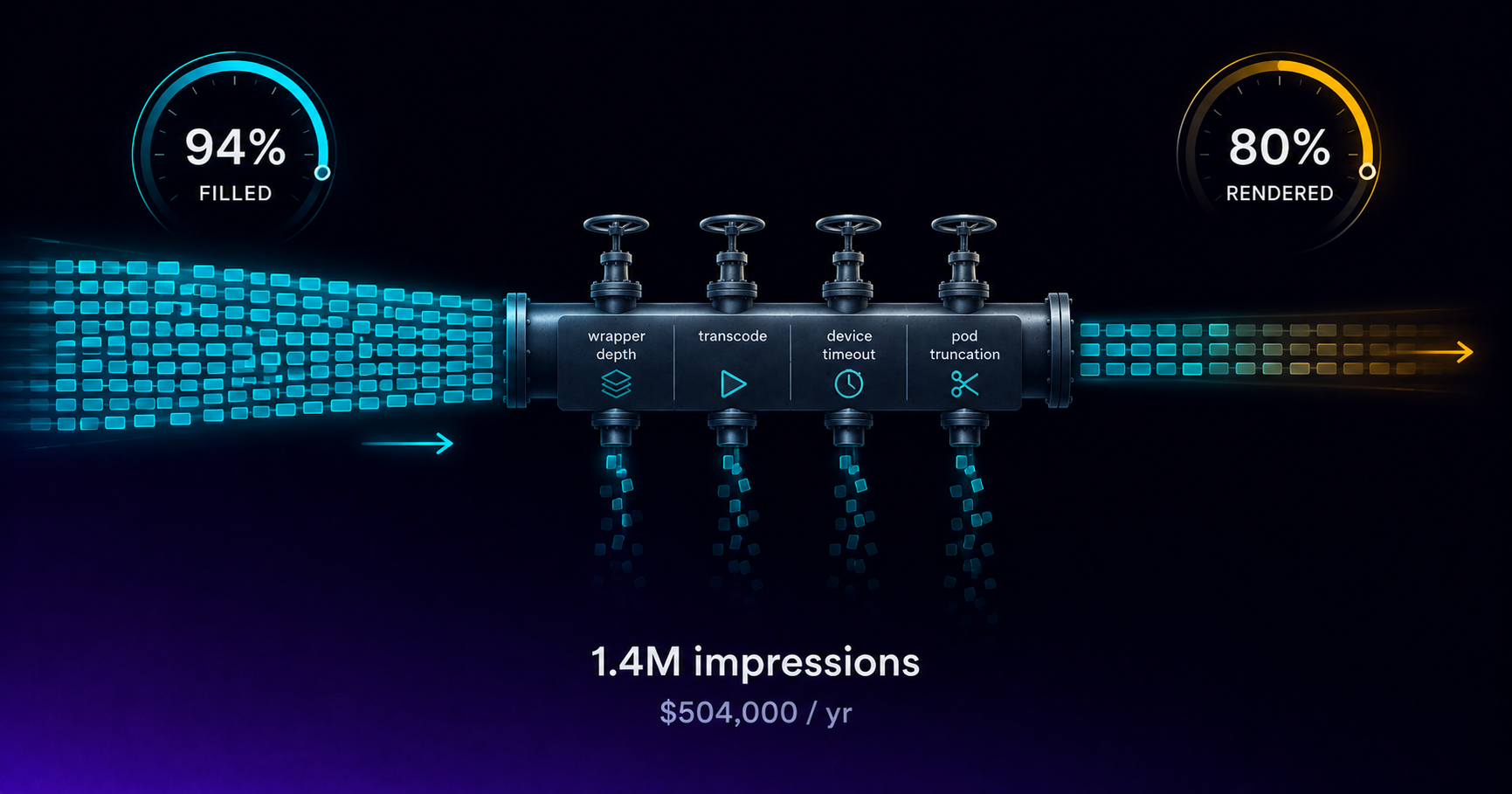
Your CTV Fill Rate Says 94%. Revenue Says 80%.
Fill rate counts ads returned, not ads played. The gap between them is unmeasured CTV revenue, and four specific failures cause it every month.

VAST 4.2 Guide for CTV Publishers
VAST 4.2 formalizes the fields DSPs and verification vendors require for CTV. What publishers need to implement, validate, and test before launch.

CTV Header Bidding: Server-Side Parallel Demand
Web header bidding does not translate directly to CTV — SSAI latency constraints require server-side parallel demand architecture, not client-side auctions.

CTV News Advertising: Brand Safety and Value
News CTV inventory reaches affluent, educated, financially engaged streaming audiences, but categorical brand safety exclusions shape who can buy it.

CTV Kids Advertising and COPPA Compliance
COPPA prohibits behavioral advertising on CTV apps directed to children under 13. What the law requires and how publishers configure kids content.
Start trading TV
Ready to monetise CTV inventory?
See how LtvAdx fits your streaming and addressable TV setup — start free or book a walkthrough.
<10ms
VAST decision latency
p99 under 15ms — product specification
7-tier
HouseholdID graph tiers
UID2 · PPID · ADID · DeviceID · ACR · IP/24 · fingerprint
Illustrative platform metrics · System status