VAST Error Codes in CTV: Which Ones Cost Money
Error 303 is usually no-fill. Errors 401 to 405 are won ads that never played. How to price each VAST error code in CTV, and who owns the fix.

Most VAST error reports treat every code as equally urgent. In CTV they are not. Error 303 is usually an empty wrapper, which is a no-fill wearing an error code. Errors 401, 402, 403 and 405 are media file failures, which mean an ad was won and never played, and those cost real money. 301 and 302 are supply path problems caused by wrapper chains. 406 and 407 only exist because of server-side ad insertion, and they mean the creative had not been transcoded yet.
So the answer to "which VAST errors should I fix first" is not the most frequent code. It is the code with the highest count multiplied by the revenue each occurrence represents. On a publisher returning ten million ads a month at a $25 CPM, every percentage point of media file errors is about $2,500 a month of won demand that never becomes a billable impression. A far larger share of 303s may cost nothing but latency.
This post groups the codes by who owns the fix, shows how SSAI changes which errors you can even see, and ends with the triage order we use when error counts spike on an LtvAdx ad server deployment.
What a VAST error actually tells you
Every VAST response can include an <Error> element containing a URL with an [ERRORCODE] macro. When the player, or in SSAI the stitching server, fails to play the ad, it replaces the macro with a numeric code from the IAB Tech Lab VAST specification and requests the URL. That request is the only signal most ad servers ever receive that something went wrong between "ad returned" and "ad played".
The code identifies the stage of failure, not its cause. A 405 tells you the media file could not be displayed. It does not tell you whether the file was corrupt, the wrong codec for that device, too high a bitrate for the connection, or served from a CDN that blocked the request. The code narrows the search. Diagnosis still means grouping errors by creative, device, channel and supply path until the pattern shows.
It also only fires if the player implements it. Error tracking is less consistently implemented in CTV than in web video, and a missing error beacon looks exactly like an ad that played but whose impression beacon was lost. The difference between the two is covered in why fill rate overstates CTV revenue; this post starts once you have codes to read.
The codes that matter in CTV, grouped by owner
The specification defines around forty codes. In CTV practice, a dozen account for almost everything you will see.
Code  Meaning                                    Usual owner
────  ─────────────────────────────────────────  ──────────────────
100   XML parsing error                          Whoever sent the XML
101   VAST schema validation error               Whoever sent the XML
102   VAST version not supported                 Player / buyer
200   Trafficking error (unexpected ad type)     Buyer / ad ops
202   Expected different duration                Buyer / ad ops
206   Ad break shortened, ad not served          Publisher / SSAI
301   Timeout of VAST URI in a wrapper           Supply path
302   Wrapper limit reached                      Supply path
303   No ad after one or more wrappers           Demand (no-fill)
401   File not found                             Buyer creative CDN
402   Timeout of MediaFile URI                   Buyer CDN / device
403   No supported MediaFile                     Buyer creative
405   Problem displaying MediaFile               Buyer creative / device
406   Mezzanine required, not provided           Buyer creative
407   Mezzanine being downloaded for first time  SSAI (self-resolving)
900   Undefined error                            Anyone
901   General VPAID error                        Buyer (VPAID on CTV)
The "usual owner" column is the one most troubleshooting guides leave out, and it is the one that decides what you do next. A publisher cannot fix a buyer's mezzanine file. A buyer cannot fix a publisher's break duration. Sending a 405 report to the wrong party produces a week of email and no change.
Why 303 is usually not a bug
Error 303 means the player followed one or more wrappers and found no ad at the end. The XML was valid. The demand source behind the wrapper simply had nothing to return for that request.
That makes 303 a fill problem reported through the error channel. It will often be the most frequent code in your logs, especially on supply that runs through several resellers, and chasing it as though it were a technical fault wastes effort. The correct response is commercial: is this demand source worth calling at all, given how often it returns nothing?
The real cost of a 303 is time. Every wrapper hop is a network round trip, and in a live ad break the pod has a fixed duration. A slot that spends most of its budget following a chain to an empty response may leave too little time to try the next source. The fill that 303 represents is lost either way. The fill the next source could have supplied is lost only because of the chain.
In LtvAdx, when we wrap an upstream VAST, the wrapper is emitted with followAdditionalWrappers="1", allowMultipleAds="0" and fallbackOnNoAd="1". The last attribute tells a compliant player that if the chain ends empty, it may fall back to other ads instead of giving up on the slot. Whether the player honours it is up to the player, which is one reason the VAST inspector and VAST validator are worth running against every new demand integration before it goes live.
Wrapper chains: 301 and 302
A VAST wrapper is a response that says "the ad is over there" rather than containing it. Wrappers exist for legitimate reasons. They let a buyer's ad server track delivery, let verification vendors insert measurement and let resellers pass demand along. Each one also adds a hop.
301 is a timeout on one of those hops: the player asked for the next document in the chain and it did not arrive in time. 302 is the chain exceeding the player's maximum number of redirects. Player SDKs set this limit themselves, commonly at four or five, and a chain that exceeds it is abandoned regardless of whether a valid ad sat at the end.
Both are supply path problems. They get worse as inventory is resold: publisher to SSP, SSP to exchange, exchange to reseller, reseller to DSP, DSP to verification wrapper, verification wrapper to the actual creative. Each party is individually reasonable. The chain as a whole is not. The fix is structural rather than technical, and it is the same one supply path optimization recommends for other reasons: buy and sell through fewer hops. The supply chain object in the bid request shows how many parties sit between buyer and publisher, and a long schain on a path that also produces 301s is a candidate for removal.
One practical point for sellers. The server-to-server auction and the player-side wrapper chain run on different clocks. LtvAdx's OpenRTB fan-out uses a hard deadline of 100 milliseconds by default, configurable per deployment, and a bid that misses it is simply not considered. A wrapper hop the player follows later has no such limit on the server side. It is bounded only by the player's own timeout, and that timeout is spent while a viewer is watching a spinner.
Media file errors: 401, 402, 403 and 405
These are the expensive ones. Every one of them is an ad that was chosen, priced and returned, whose file then failed to play. The demand was won. The impression was not delivered.
401, file not found, is the simplest: the media file URL returns an error. Expired CDN links, a creative deleted after trafficking, or a URL with a typo. The buyer owns it, and it is usually one creative producing all of them.
402, timeout of the media file, means the file started loading but not fast enough. On CTV this is often the combination of a large file and a constrained connection: a high-bitrate mezzanine-quality file served where a lower rendition should have been. If a VAST response offers only one high-bitrate MediaFile, a device on a slow connection has no alternative. Offering several renditions at different bitrates is the fix.
403, no supported media file, means none of the offered files matched what the device can play. The classic CTV cause is a response containing only VPAID or other interactive formats, which most connected TV players cannot execute, or only a container or codec the device does not support. The same misconfiguration can instead surface as 901, a general VPAID error, depending on the player.
405, problem displaying the media file, is the catch-all for a file that loaded and still did not play. Mismatches between the declared MIME type and the actual file, corrupt encodes, and resolutions or frame rates a particular device family handles badly all land here.
Because the buyer owns most of these, what the publisher controls is reporting and filtering. Report the failing creative IDs to the buyer with counts and device breakdowns. If a creative keeps failing, block it. Our CTV creative best practices set out the renditions and specs that avoid most of these errors, and the creative approval timeline post covers where in the trafficking process a bad file should be caught before it reaches a live break.
How SSAI changes which errors you can see
With client-side insertion, the player fetches and plays the ad itself and reports errors itself. With server-side ad insertion, the stitching server fetches the ad, transcodes it into the stream's format and splices it into the content. The device plays one continuous stream and never sees the ad as a separate file.
That has three consequences for error reporting.
Media file errors move to the server. A file that cannot be transcoded fails at the stitcher, not on the device. Whether an error beacon fires depends on the SSAI platform, and some simply fill the slot with the next ad or with slate. If no error fires, the lost impression is invisible except as a gap in the delivery count.
406 and 407 appear. These codes were added in VAST 4.1 for SSAI. A mezzanine file is the high-quality source the stitcher transcodes from. 406 means the stitcher needs one and the response did not provide it. 407 means the mezzanine was provided and is being downloaded and transcoded for the first time, so the stitcher cannot use it for this request. 407 is self-resolving: once transcoding finishes, later requests for the same creative succeed. It still costs the first impressions of every new creative on every SSAI platform it runs on, which is noticeable for a campaign with many creatives across many platforms and short flights.
Duration errors get stricter. A stitched break has an exact length. An ad that does not fit the remaining time is dropped, which may be reported as 202 (the duration differs from what was expected) or 206 (the break was shortened and the ad was not served). A publisher seeing many 206s is often overfilling pods, returning more ad seconds than the break can hold. The ad pod strategy post covers break structure, and the ad pod fill simulator shows how duration mix affects fill.
The SSAI beacon tester is useful here for a narrower question: whether impression, quartile and error beacons fire at all from a given SSAI setup. If they do not, no amount of error-code analysis will help.
Putting a price on each error
The way to decide what to fix first is to convert counts into money. The arithmetic is simple enough to do per code, per week.
Ads returned per month            10,000,000
Average CPM of returned ads       $25

Each 1% of media file errors      100,000 impressions not delivered
                                  → $2,500 per month of won demand lost

Example error mix                 Rate     Monthly cost
  405 problem displaying          1.5%     $3,750
  402 media timeout               1.0%     $2,500
  403 no supported file           0.5%     $1,250
                                           ──────
                                           $7,500 per month
The rates in the example are illustrative, not benchmarks. Use your own. The point is the structure: media file errors are priced at the CPM of the ad that failed, because that ad had already won. 303s are not priced this way, because no ad was won. A 303 rate ten times higher than the 405 rate can still be the less valuable problem.
Two refinements sharpen the picture. First, weight by the CPM of the demand that produced the error, not the average. Errors concentrated in direct-sold or programmatic guaranteed lines cost more per occurrence, and they also carry delivery commitments that may need make-goods. Second, split by device family. An error rate that averages 1% can be 6% on one operating system and near zero on the rest, which turns a vague creative problem into a specific one.
How we record errors in LtvAdx, and what I would change
Every VAST response the LtvAdx ad server builds carries an <Error> URL with the [ERRORCODE] macro pointing at its own event endpoint. That includes wrappers, which pass tracking through to the inner response. When a player or stitcher reports an error, the event is recorded with its numeric code, the request ID, creative, line item and channel, and it flows through the same event pipeline as impressions and quartiles.
The raw event keeps the code. The daily summary, which is what most reporting reads, keeps a count of errors but not a breakdown by code. That was a reasonable choice when the summary was designed around delivery and completion. It is the wrong choice for this post's argument, because a single daily error total is exactly the undifferentiated number that hides a $7,500 media file problem behind a pile of harmless 303s. Today, a per-code breakdown means querying raw events. Carrying error counts by code into the summary is the change I would make first, and it is on the list.
The raw events are enough to answer the question in the meantime. The grouping that finds most problems looks like this:
// Error events, last 7 days, grouped to find the pattern
db.video_events.aggregate([
  { $match: { networkId: "<your-network-id>",
              eventType: "ERROR",
              timestamp: { $gte: ISODate("2026-09-19") } } },
  { $group: { _id: { code: "$errorCode",
                     creative: "$creativeId",
                     channel: "$channelId" },
              n: { $sum: 1 } } },
  { $sort: { n: -1 } },
  { $limit: 25 }
])
Twenty-five rows is usually enough. If one creative accounts for most of the 405s, it is a creative problem. If one channel accounts for most of them across many creatives, it is a device or player problem on that channel. If the errors spread evenly, look at the supply path. Error events are scoped to the network like every other report, so each tenant sees only its own. The reporting page shows the aggregated views, and the developer docs cover raw event access.
A triage order for an error spike
When error volume jumps, work through it in this order. Each step is quick and rules out a large class of causes before the next.
- Separate 303 from everything else. If the spike is all 303, it is a demand event: a partner stopped bidding or changed targeting. Commercial conversation, not engineering.
- Check whether it is one creative. A new creative launched with a bad file produces a sharp spike in 401, 403 or 405 from a single creative ID. Block it and tell the buyer.
- Check whether it is one device family or channel. A player update on one platform can break playback for formats that worked yesterday. The errors will cross creatives but stay on one platform.
- Check whether it is one supply path. 301 and 302 clustered on one demand partner usually mean they added a hop, often a new verification wrapper.
- Check SSAI transcoding. A burst of 407 at the start of a flight is normal. A burst that does not decay over the first hours means the stitcher cannot process the mezzanine, which is a 406 problem reported as 407.
- Check pod overfill. Rising 202 or 206 alongside a change in break structure or demand mix points to duration, not files.
Most spikes resolve at step two or three.
What buyers should ask their sellers
Errors are not only the publisher's problem. A buyer paying on delivered impressions loses nothing directly when a media file fails, but loses reach and frequency against plan, and a campaign that under-delivers against a guarantee creates a dispute over whose number is right. That dispute is the subject of whose number settles a TV guarantee.
Three questions are worth asking a seller before a flight starts: which VAST error codes they log and can report back by creative, whether their SSAI partners fire error beacons at all, and what renditions and mezzanine specifications their stitchers need. A seller who cannot answer the first question cannot tell you why your campaign under-delivered. Buyers setting up campaigns will find the specifications side in our VAST 4.2 guide and the delivery side in the CTV reporting guide.
Frequently asked questions
What does VAST error 303 mean?
Error 303 means the player followed one or more VAST wrappers and received no ad at the end of the chain. The XML was valid, but the demand source had nothing to serve. It is effectively a no-fill reported through the error channel. It usually calls for a commercial decision about the demand source rather than a technical fix, though long wrapper chains that end in 303 also waste time in the ad break.
What is the difference between VAST error 402 and 405?
402 is a timeout: the media file did not load within the player's time limit, often because a large file was served over a slow connection. 405 means the file loaded but could not be displayed, commonly because of a codec, MIME type or encoding problem. Both mean an ad was won and never played, and both are usually fixed by the buyer supplying better-specified creative in several renditions.
What are VAST errors 406 and 407?
Both were added in VAST 4.1 for server-side ad insertion. 406 means the stitching server required a mezzanine file, the high-quality source it transcodes from, and none was provided. 407 means the mezzanine was provided but is being downloaded and transcoded for the first time, so it cannot be used yet. 407 resolves itself once transcoding completes; 406 needs the buyer to supply the file.
Which VAST errors cost publishers the most revenue?
Media file errors, meaning 401, 402, 403 and 405, because each represents an ad that had already won the auction and then failed to play. Price them at the CPM of the ad that failed. On ten million returned ads a month at a $25 CPM, each percentage point of media file errors is about $2,500 of won demand not delivered. No-fill errors such as 303 may be more frequent but cost latency rather than won revenue.
Why do I see no VAST errors from SSAI inventory?
Because with server-side insertion the stitching server, not the device, fetches and processes the ad. Some SSAI platforms fire VAST error beacons when a file cannot be used; others silently fill the slot with another ad or slate. If you see impressions but no errors from SSAI supply, confirm that error beacons fire at all before concluding there are no failures.
How many VAST wrappers are too many?
Player SDKs set their own maximum, commonly four or five, and a chain that exceeds it produces error 302 and loses the ad. Well before that limit, each hop adds a network round trip inside a break of fixed length. Fewer hops is better for fill and for latency. A long supply chain object in the bid request on a path that also produces 301 or 302 errors is a good candidate for removal.
Should publishers block creatives that keep producing errors?
Yes, after telling the buyer. A creative that fails to play on a meaningful share of requests is taking slots that other demand could fill, and every failure is a missed impression for both sides. Report the creative ID, error codes, counts and affected device families, give the buyer a chance to replace the file, and block it if the errors continue.
Stay ahead of CTV and addressable TV
Get articles on streaming monetization, identity, and programmatic TV.
Subscribe + request demo →Head of CTV Product, LtvAdx
Related articles
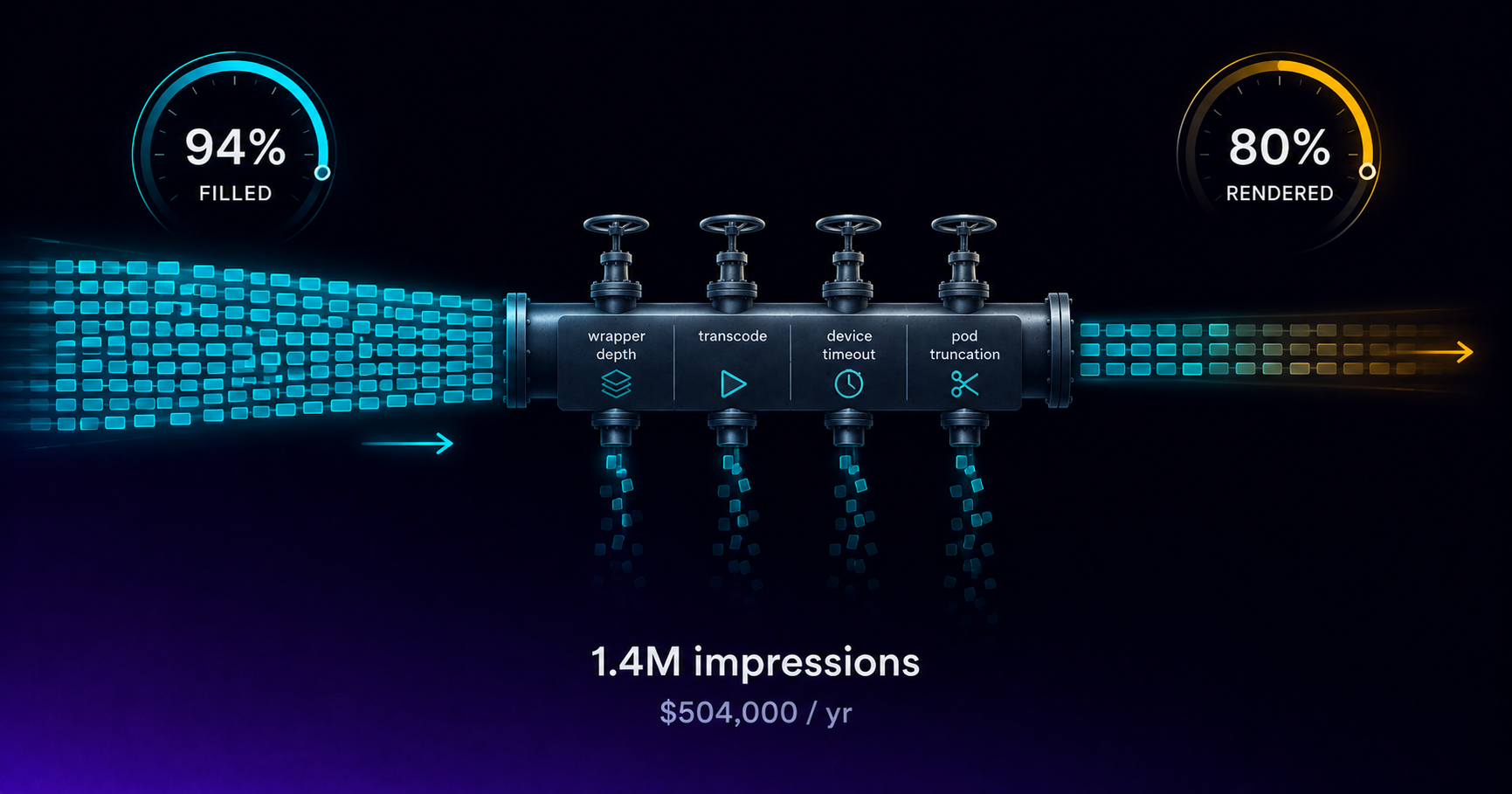
Your CTV Fill Rate Says 94%. Revenue Says 80%.
Fill rate counts ads returned, not ads played. The gap between them is unmeasured CTV revenue, and four specific failures cause it every month.

VAST 4.2 Guide for CTV Publishers
VAST 4.2 formalizes the fields DSPs and verification vendors require for CTV. What publishers need to implement, validate, and test before launch.
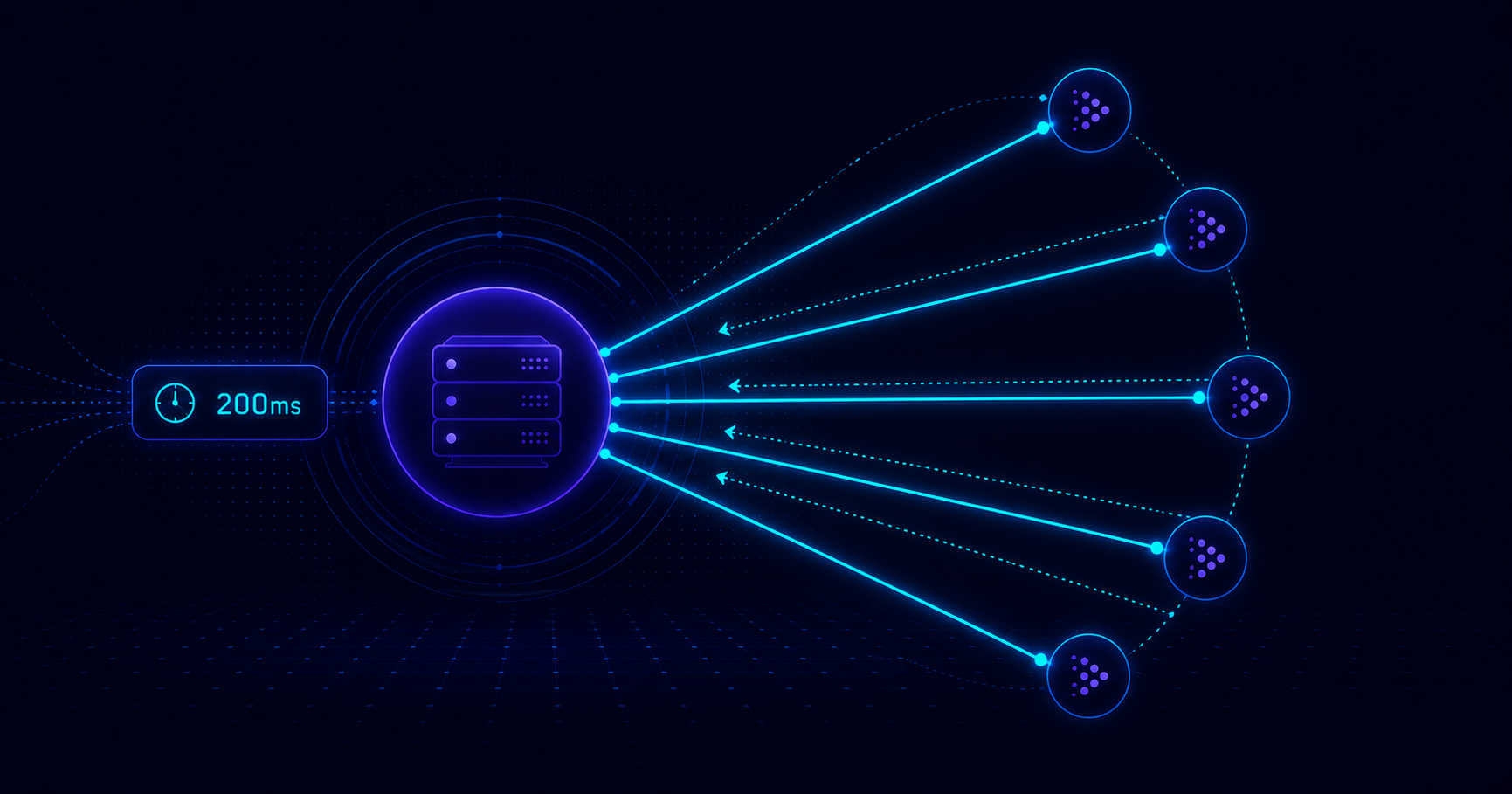
CTV Header Bidding: Server-Side Parallel Demand
Web header bidding does not translate directly to CTV — SSAI latency constraints require server-side parallel demand architecture, not client-side auctions.

CTV News Advertising: Brand Safety and Value
News CTV inventory reaches affluent, educated, financially engaged streaming audiences, but categorical brand safety exclusions shape who can buy it.

CTV Kids Advertising and COPPA Compliance
COPPA prohibits behavioral advertising on CTV apps directed to children under 13. What the law requires and how publishers configure kids content.
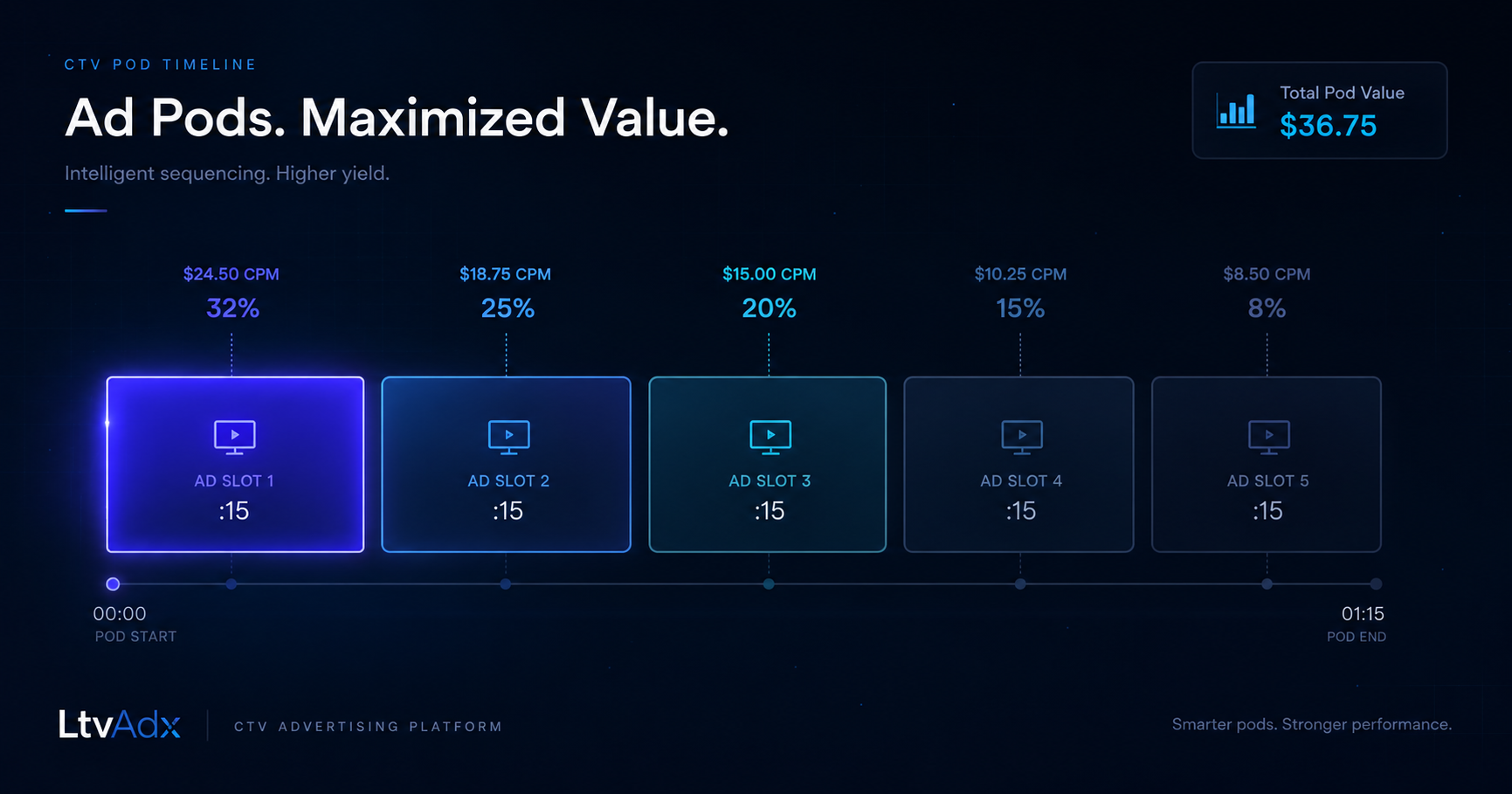
CTV Ad Pod Strategy: Structuring Breaks for Yield
Pod length, slot position pricing, competitive separation, and SSAI manifest design: the playbook for CTV publishers maximizing revenue per break.
Start trading TV
Ready to monetise CTV inventory?
See how LtvAdx fits your streaming and addressable TV setup — start free or book a walkthrough.
<10ms
VAST decision latency
p99 under 15ms — product specification
7-tier
HouseholdID graph tiers
UID2 · PPID · ADID · DeviceID · ACR · IP/24 · fingerprint
Illustrative platform metrics · System status